
Install Ruby on Rails on Ubuntu 14.04 with RVM
Installing Ruby on Rails on Ubuntu is quite easy, but the Ubuntu packages install an outdated Ruby. The following instruction will probably work on older Ubuntu versions also, I just used the 14.04 test release to get a preview on the next LTS version of Ubuntu.
This is just a quick install without RVM. If you want a more flexible and simpler setup, where you more easily switch between Ruby and Rails version, you can follow the instructions here to install it with rbenv.
For a quick comparison between rbenv en RVM you can read this
Install latest ruby from source
First install some debs.
sudo apt-get install curl
curl -L https://get.rvm.io | bash -s stable --ruby
source /home/acidjunk/.rvm/scripts/rvm
sudo apt-get install nodejs
Optionally you can install a newer version of nodejs by using a non Ubuntu repo:
sudo apt-get install python-software-properties
sudo apt-add-repository -y ppa:chris-lea/node.js
sudo apt-get update
sudo apt-get nodejs
Then install Ruby itself and let RVM do the hard lifting. Check if you have a working gem by running “gem -v”; expected output:
2.2.2Note: you probably want to add the new gem path to your profile. This session it will work because you runned: “source /home/acidjunk/.rvm/scripts/rvm” Install latest ruby and Rails itself
rvm use ruby-2.1.1@rails4.0 --create
gem install rails
Test your install
mkdir rails_projects
cd rails_projects
mkdir helloworld
cd helloworld
rails new .
rails server
Expected output:
=> Booting WEBrick
=> Rails 4.0.4 application starting in development on http://0.0.0.0:3000
=> Run `rails server -h` for more startup options
=> Ctrl-C to shutdown server
[2014-04-05 17:40:12] INFO  WEBrick 1.3.1
[2014-04-05 17:40:12] INFO  ruby 2.1.1 (2014-02-24) [x86_64-linux]
[2014-04-05 17:40:12] INFO  WEBrick::HTTPServer#start: pid=3497 port=3000
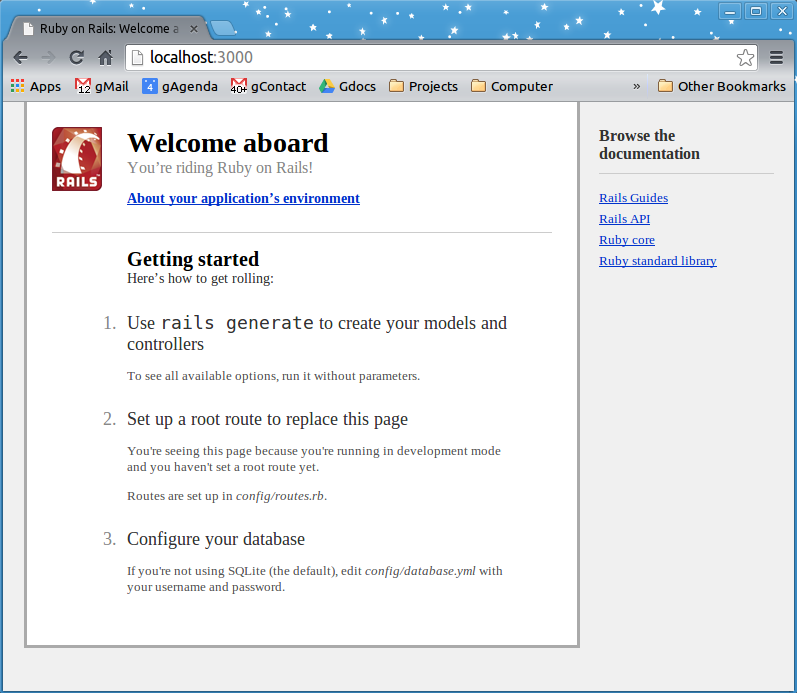
A screenshot of the running Rails install
rbenv
Installing Rails with rbenv is also easy: just follow the instructions here.