
Install phpunit on windows
You can use composer to install phpunit, for example, inside a Symfony2 project; but it’s better to install it as a separate binary as it allows you to run unit test on all php scripts and it integrates better in phpStorm.
Create folder to hold php bins
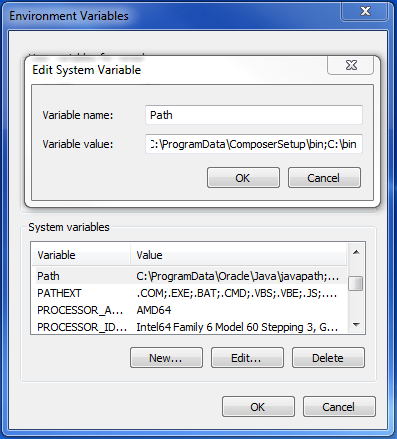
I used an Applications folder in my windows home; but you can also user C:bin or something like that. Add the folder to your Path: e.g. add “;C:bin” to your PATH environment variable. In the Advanced System Properties, Environment variables: Image: 2015-02-23-13_35_17-Program-Manager.png
Download the .phar file
Download https://phar.phpunit.de/phpunit.phar and save the file as C:binphpunit.phar
Create a .bat wrapper
Open a command line (e.g., press Windows+R » type cmd » ENTER)
cd C:\bin
echo @php "%~dp0phpunit.phar" %* > phpunit.cmd
exit
Verify that it worked by openening a new command line: type “phpunit” and press enter. It should show the phpunit options.