
Find out which ports are used in Mac Os
Being involved in microservice oriented and or container based application architecture usually implies having a lot of terminals with running processes during app development. Occasionally ports are blocked by a crashed service or port conflicts between docker desktop and local running daemons.
I always forget which commands to run on Mac OS to find out which ports are in use. For Linux it’s something like:
netstat -plntYou could use the graphical port scanner, that’s available from the Mac Network Utility program, on 127.0.0.1 or
localhost to list the ports but that’s slow and it doesn’t show reliable info about the processes using it.
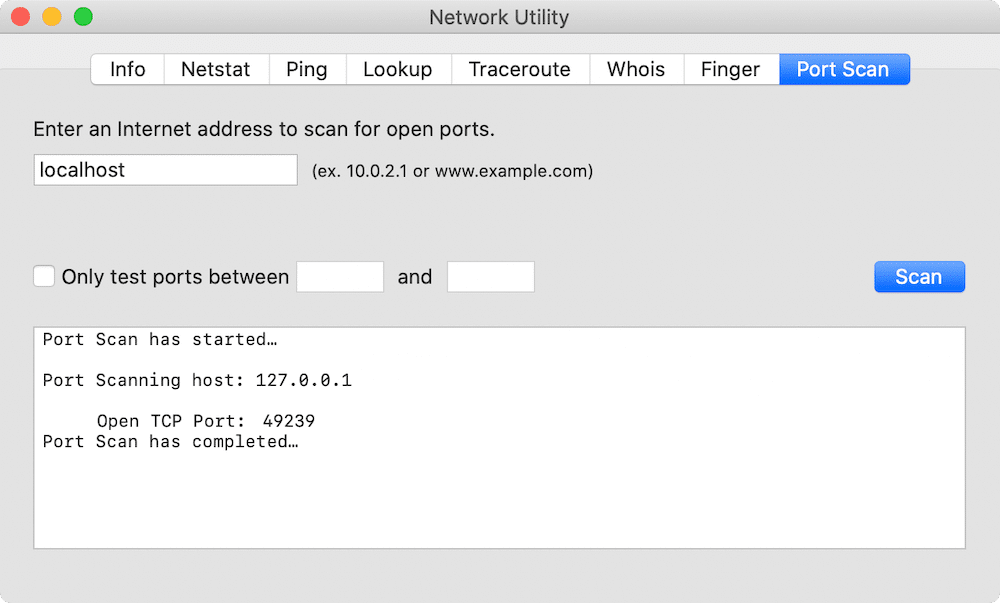
The weird thing is that netstat is actually installed but somehow the command line options differ subtly, like they
also do for dd and fdisk. The best readable way I could find:
netstat -anvp tcp | awk 'NR<3 || /LISTEN/'Example Output
Proto Recv-Q Send-Q  Local Address          Foreign Address        (state)     rhiwat shiwat    pid   epid  state    options
tcp4       0      0  127.0.0.1.56791        *.*                    LISTEN      131072 131072  36559      0 0x0180 0x00000006
tcp4       0      0  *.3000                 *.*                    LISTEN      131072 131072  26830      0 0x0100 0x00000106
tcp4       0      0  *.3001                 *.*                    LISTEN      131072 131072  26784      0 0x0100 0x00000106
tcp4       0      0  127.0.0.1.5000         *.*                    LISTEN      131072 131072  15624      0 0x0000 0x00000006
tcp4       0      0  127.0.0.1.5432         *.*                    LISTEN      131072 131072    491      0 0x0000 0x00000006
tcp6       0      0  ::1.5432               *.*                    LISTEN      131072 131072    491      0 0x0000 0x00000006
tcp4       0      0  *.22                   *.*                    LISTEN      131072 131072      1      0 0x0180 0x00000006
tcp6       0      0  *.22                   *.*                    LISTEN      131072 131072      1      0 0x0180 0x00000006
But lsof is faster, better sorted and includes the process names:
sudo lsof -PiTCP -sTCP:LISTENExample output:
COMMAND     PID     USER   FD   TYPE             DEVICE SIZE/OFF NODE NAME
postgres    491 acidjunk    5u  IPv6 0x4d36baaa31f4c36d      0t0  TCP localhost:5432 (LISTEN)
postgres    491 acidjunk    6u  IPv4 0x4d36baaa30e0163d      0t0  TCP localhost:5432 (LISTEN)
webstorm   4693 acidjunk   54u  IPv6 0x4d36baaa31debe4d      0t0  TCP localhost:6943 (LISTEN)
webstorm   4693 acidjunk  430u  IPv6 0x4d36baaa31de998d      0t0  TCP localhost:63343 (LISTEN)
python3.8 15622 acidjunk    4u  IPv4 0x4d36baaa50bf8afd      0t0  TCP localhost:5000 (LISTEN)
python3.8 15624 acidjunk    4u  IPv4 0x4d36baaa50bf8afd      0t0  TCP localhost:5000 (LISTEN)
python3.8 15624 acidjunk    6u  IPv4 0x4d36baaa50bf8afd      0t0  TCP localhost:5000 (LISTEN)
node      26784 acidjunk   27u  IPv4 0x4d36baaa50be3c5d      0t0  TCP *:3001 (LISTEN)
node      26830 acidjunk   28u  IPv4 0x4d36baaa4f0aaebd      0t0  TCP *:3000 (LISTEN)
redis-ser 62820 acidjunk    6u  IPv6 0x4d36baaa31deabed      0t0  TCP *:6379 (LISTEN)
redis-ser 62820 acidjunk    7u  IPv4 0x4d36baaa30dfe4dd      0t0  TCP *:6379 (LISTEN)
pycharm   90567 acidjunk  158u  IPv6 0x4d36baaa48b7872d      0t0  TCP localhost:6942 (LISTEN)
pycharm   90567 acidjunk  439u  IPv6 0x4d36baaa48b7998d      0t0  TCP localhost:63342 (LISTEN)
Hope it helps me and/or others in the future when I need this info again 😎